Discounts
Minimum & maximum order value rules
Set minimum and maximum order value rules that control when discounts apply.
Follow these steps to set up min-max rules.
Setting up the rules
-
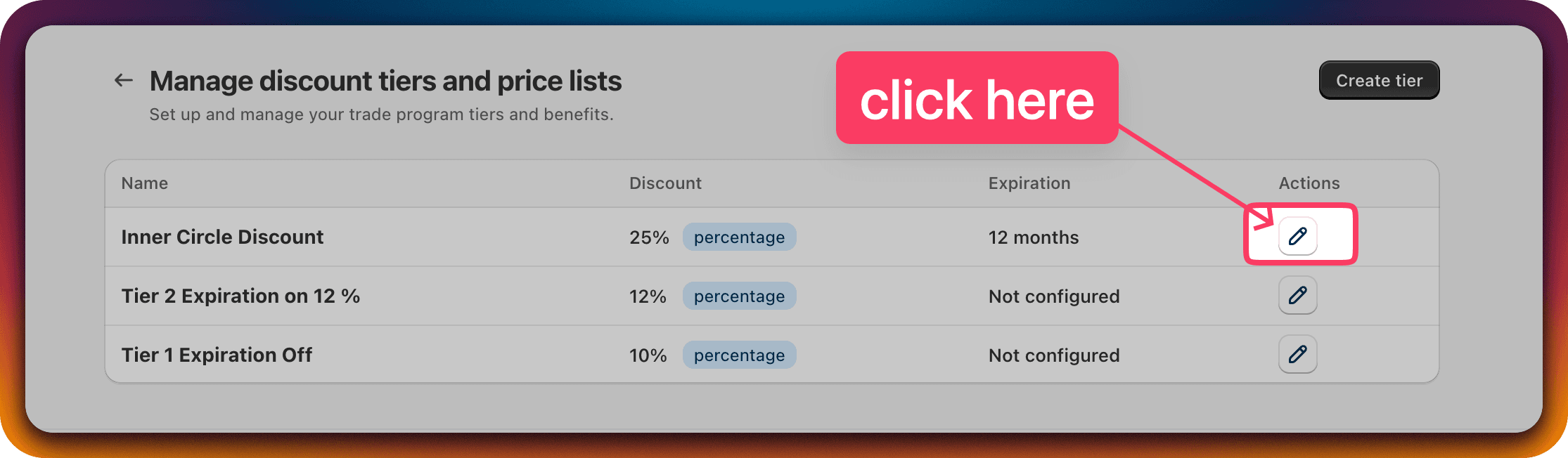
Edit any Customer Discount Group.
Click the edit icon for the Discount Group of your choice.
Note: these rules are equally applicable on the "Create Customer Discount Group" page.
-
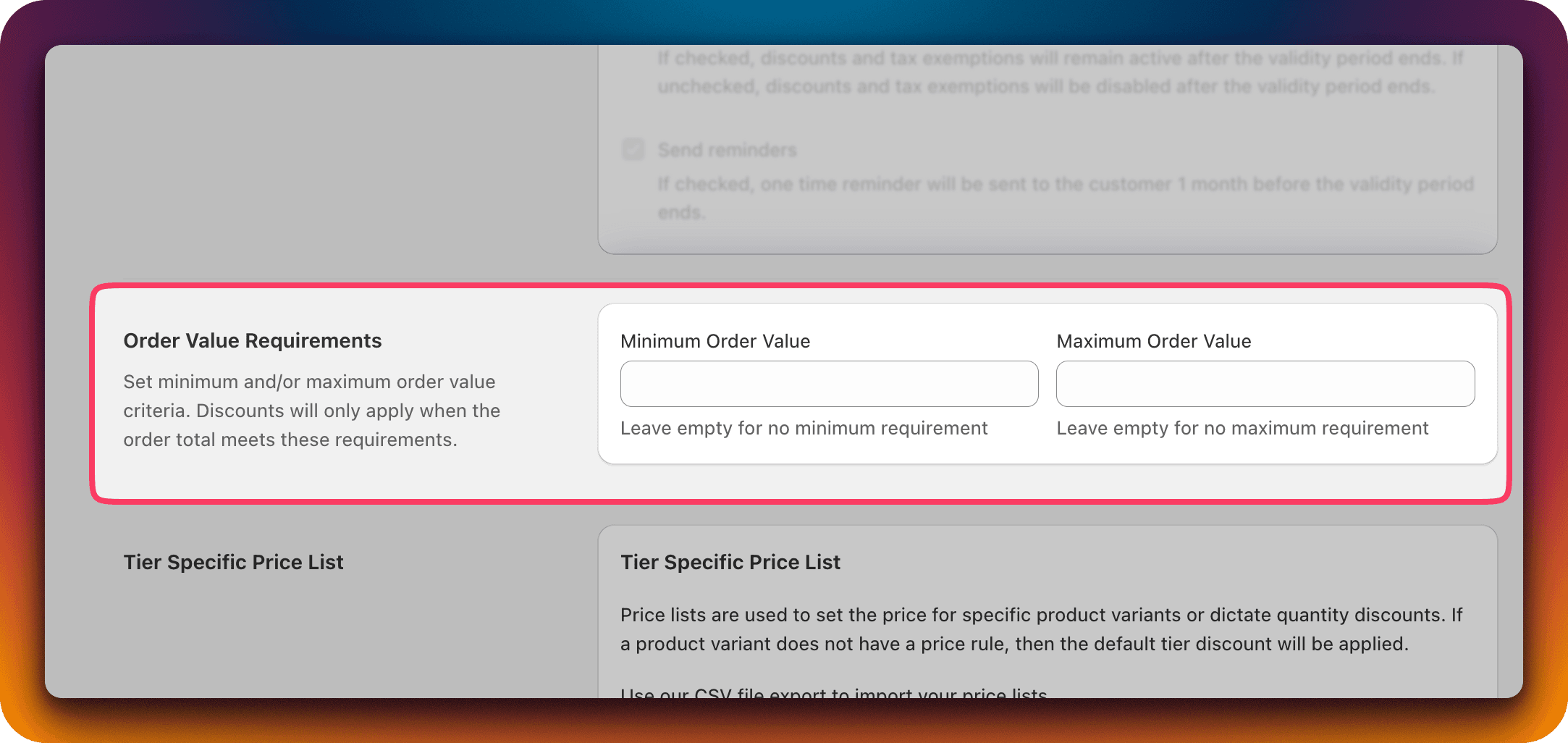
On the "Edit Customer Discount Group" page find the "Order Value Requirement" section.
- You can use the "Minimum Order Value" and "Maximum Order Value" inputs to set limits.
- These values will be compared against the cart total before discount.
Examples
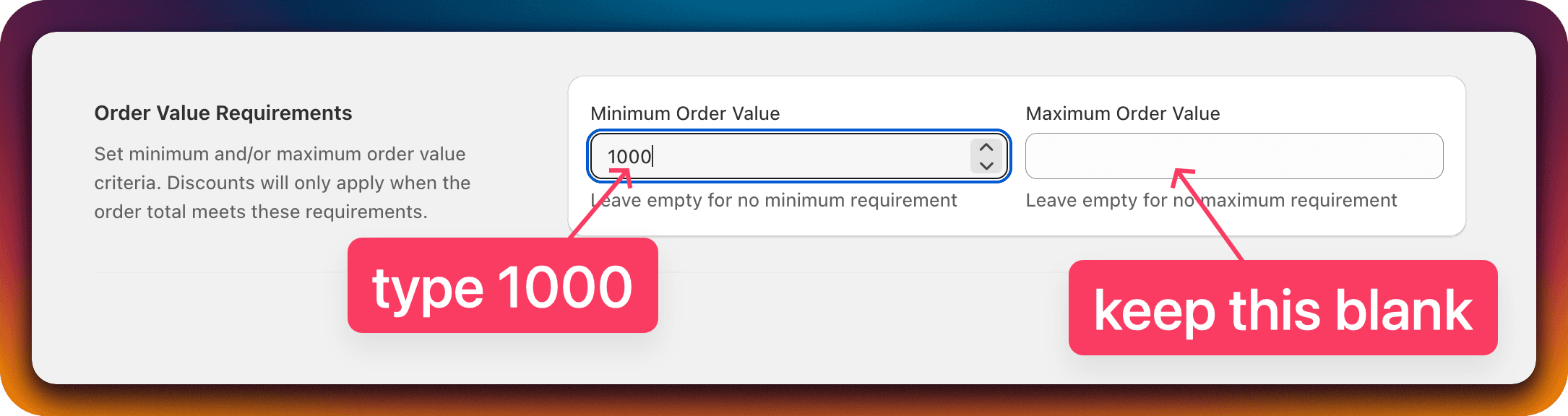
Apply discount only if the cart total is greater than or equal to $1000
| Cart total | Discount applied? |
|---|---|
| $999 | No |
| $1000 | Yes |
| $1500 | Yes |
Apply discount if the cart total is within the range $599 to $1599

| Cart total | Discount applied? |
|---|---|
| $500 | No |
| $598 | No |
| $599 | Yes |
| $1000 | Yes |
| $1599 | Yes |
| $1600 | No |
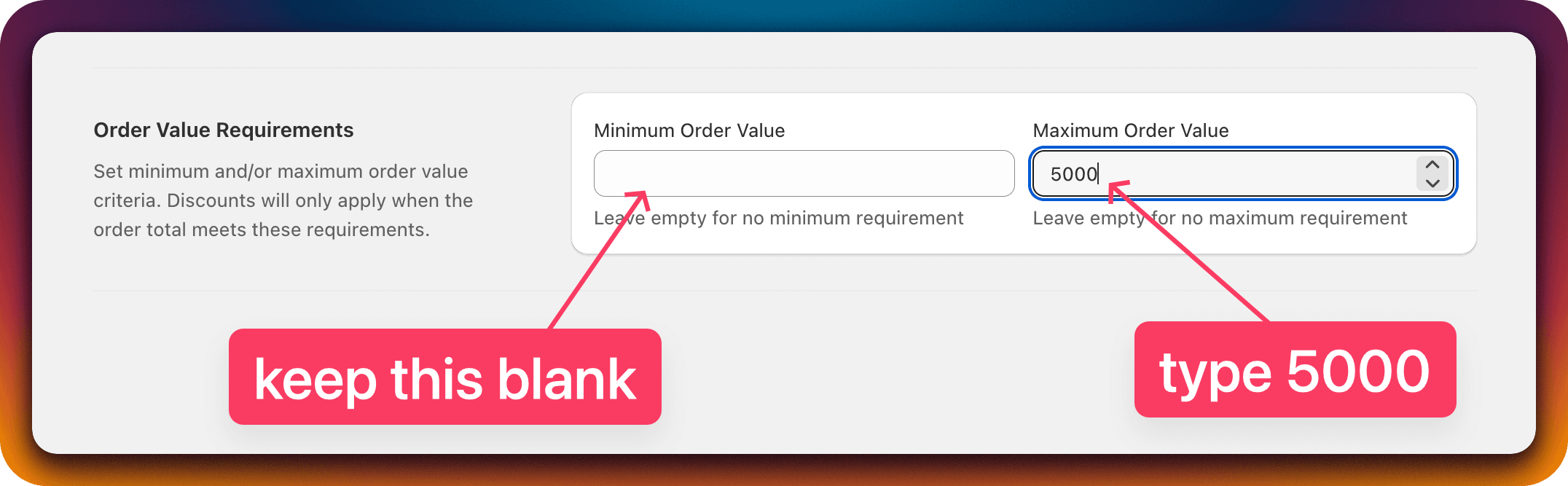
Apply discounts if the cart total is less than or equal to $5000
| Cart total | Discount applied? |
|---|---|
| $4999 | Yes |
| $5000 | Yes |
| $5001 | No |