Migration
Migrate from Wholesale Gorilla
Export your Wholesale Gorilla customers by tag and bulk upload them into Wholesale GOAT.
-
Identify a group of customers.
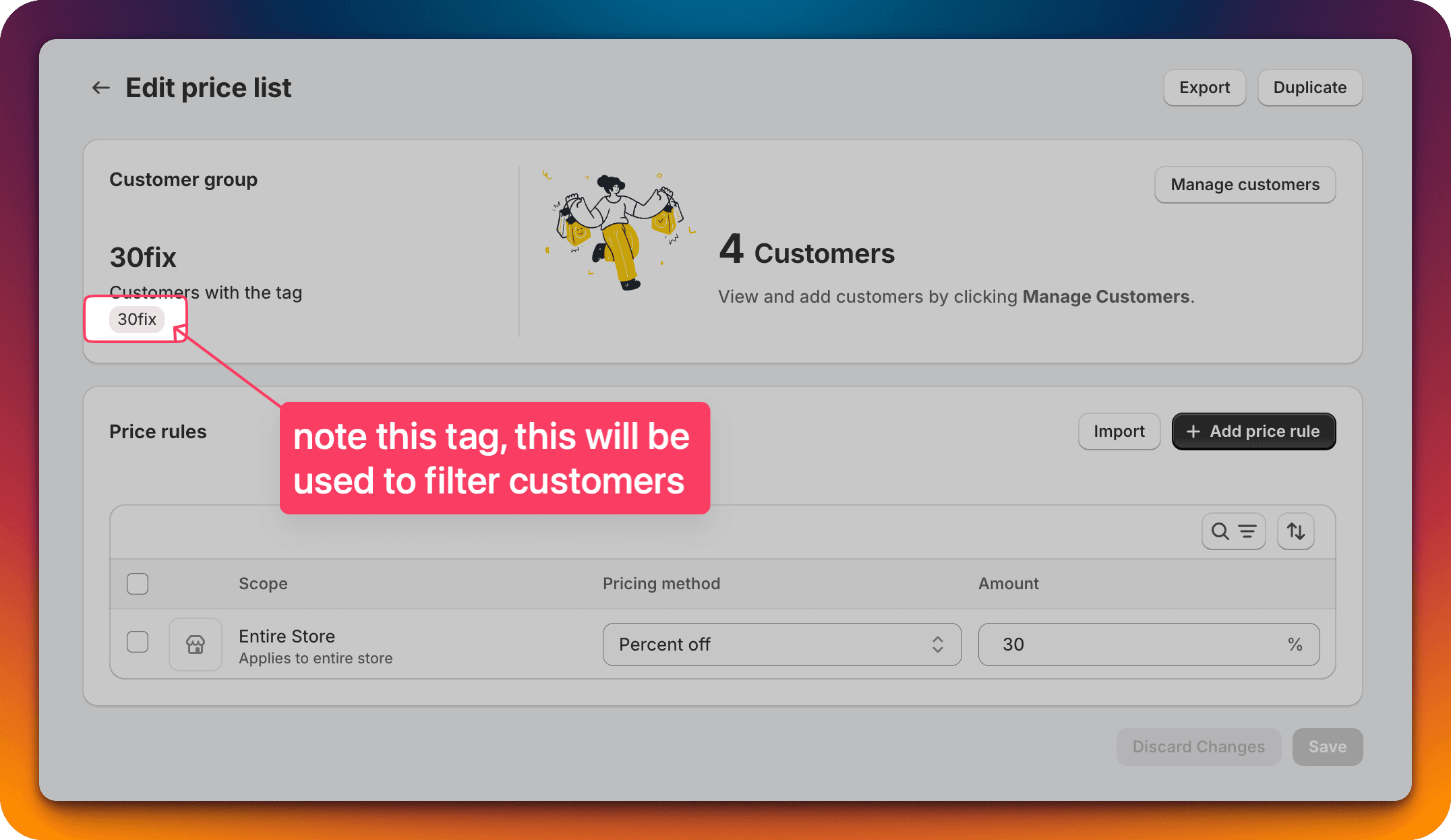
- In Wholesale Gorilla, customer discounts are handled via a "Pricing Rule".
- Find one Pricing Rule and note down the Customer Tag. In this example image the tag is "30fix".
-
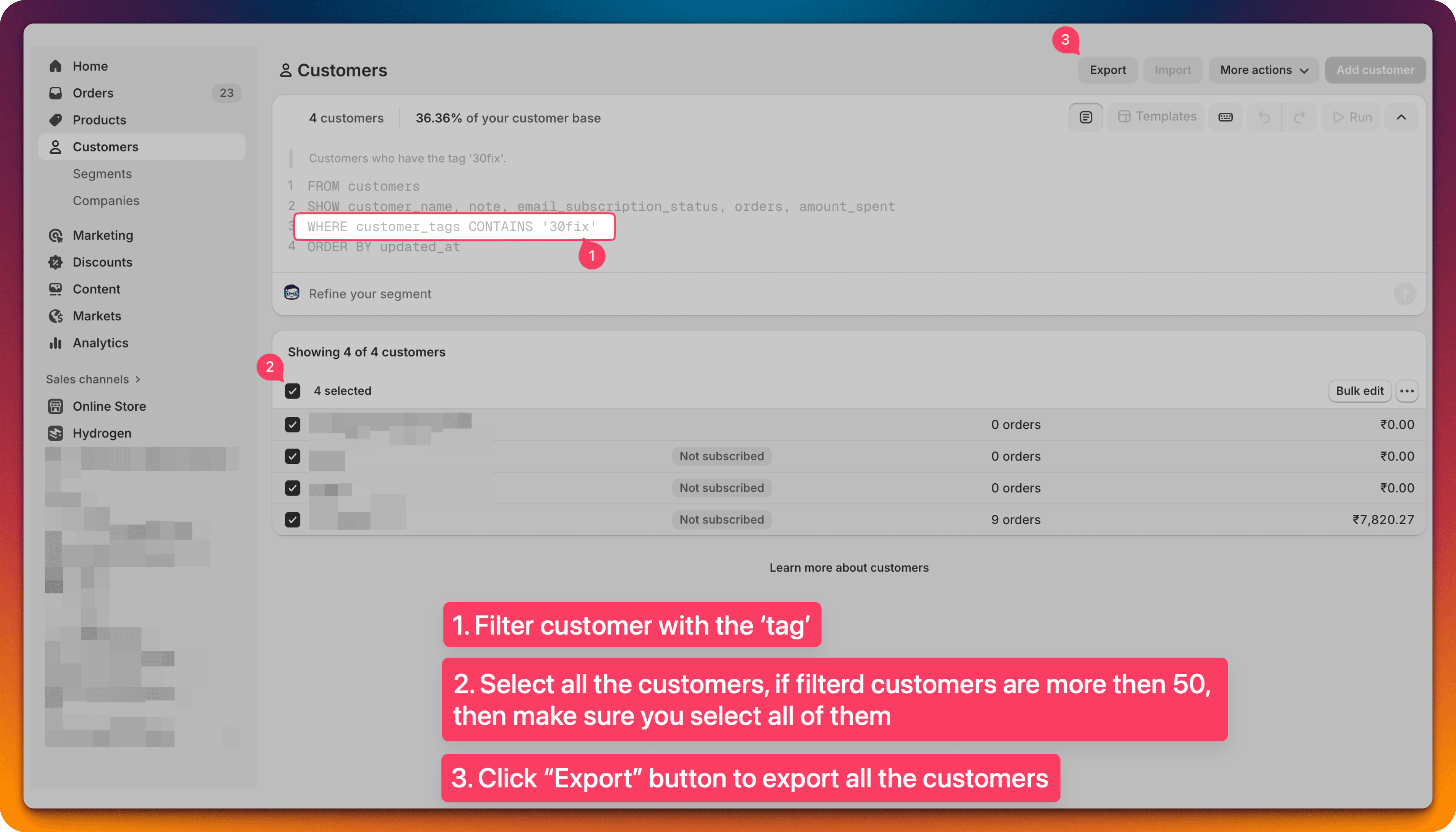
Filter customers using the tag, and "Export" all of them.
Go to the "Customers" page in the Shopify admin, and filter customers.
-
Clean the CSV file.
Remove extra columns. This example uses Google Spreadsheet, you are free to use any tool of your choice that can edit a CSV file.
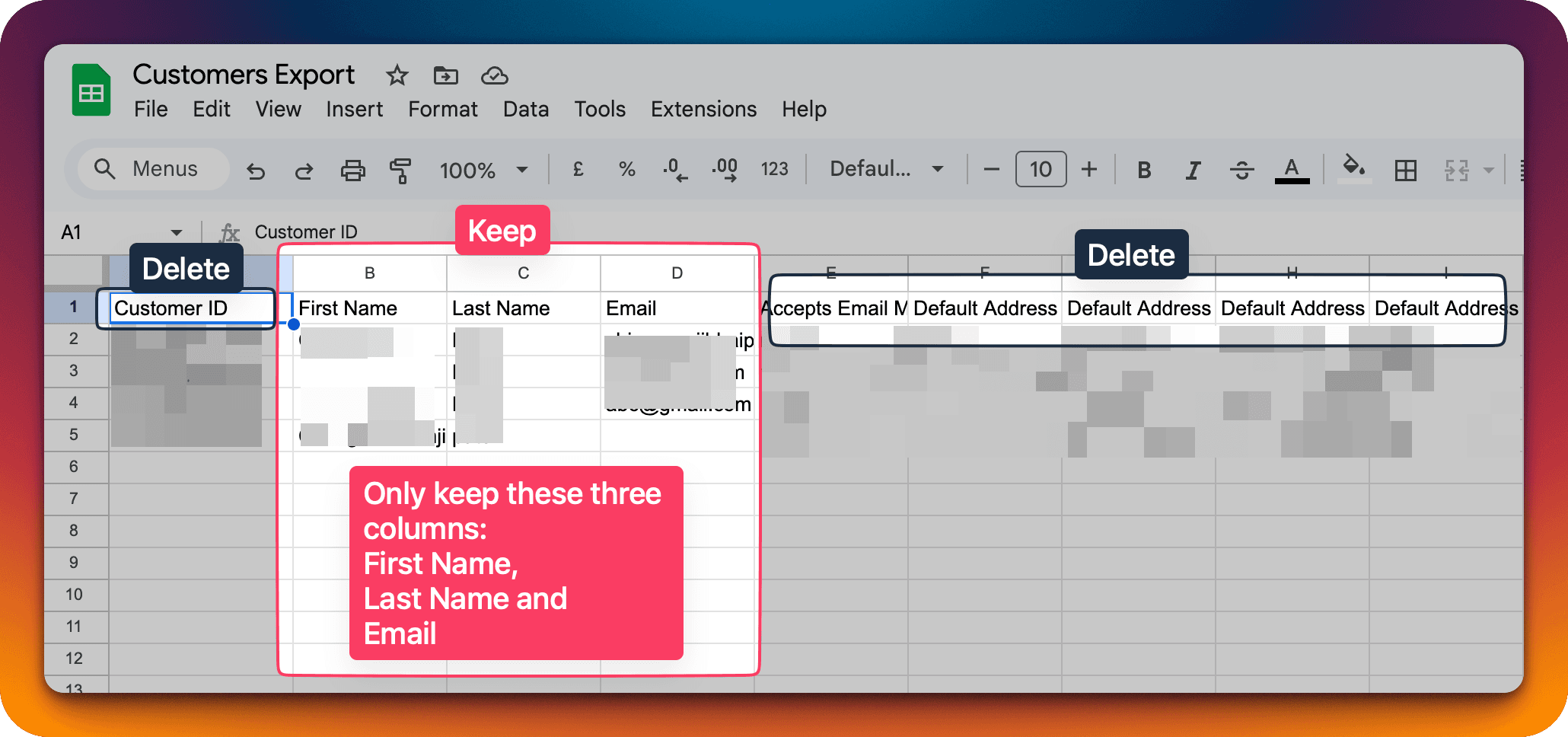
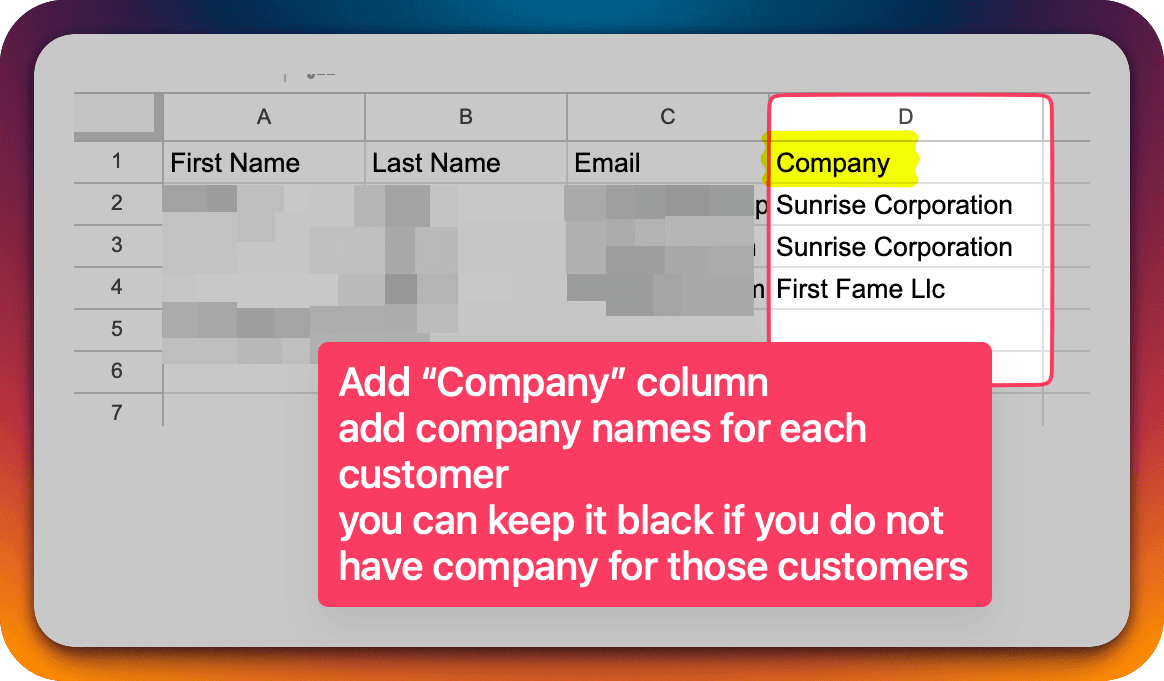
After removing extra columns you need to move those columns to the left most position so that the mapping looks like Column A: First Name, Column B: Last Name and Column C: Email, and then add "Company" in Column D.
-
Refer to this guide to upload the CSV in Wholesale GOAT: Migrate existing wholesale customers to Wholesale GOAT.